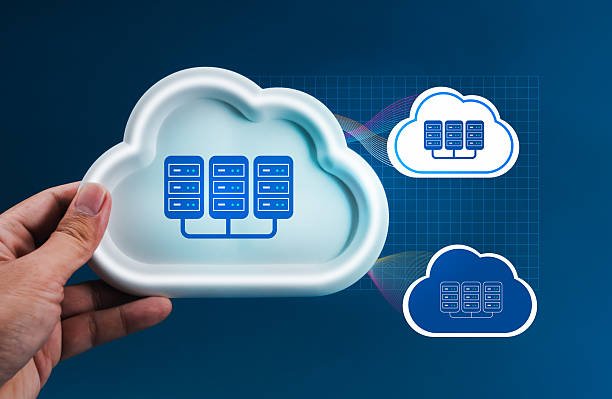

Cloud computing means using computing resources such as servers, storage, databases and software over the internet, instead of owning and maintaining them yourself. You rent what you need, use it when you need it, and pay for what you consume. For businesses and individuals alike, this has changed how technology is bought and used.
How Cloud Computing Works
Cloud providers operate large data centers filled with servers. Using virtualization, they split this hardware into smaller, isolated pieces that customers can provision in minutes through a web console or API. Because resources are shared across many customers, providers achieve economies of scale that are hard to match with an in-house setup.
The Three Main Service Models
Infrastructure as a Service (IaaS)
IaaS gives you the raw building blocks: virtual machines, storage and networking. You manage the operating system, runtime and applications, while the provider manages the physical hardware. It offers the most control and flexibility, which makes it a good fit for teams with strong technical skills or unusual requirements.
Platform as a Service (PaaS)
PaaS adds a managed layer on top of infrastructure. Developers upload their code, and the platform handles servers, scaling, patching and often the database too. It speeds up development because teams focus on the application rather than the plumbing.
Software as a Service (SaaS)
SaaS delivers a finished application through a browser or app. Email, project management tools, CRM systems and video conferencing are common examples. You manage your data and users, and the vendor handles everything else.
Deployment Models
- Public cloud: resources are shared and delivered by a third-party provider.
- Private cloud: infrastructure is dedicated to a single organization.
- Hybrid cloud: a mix of public and private environments that work together.
Key Benefits
- Scalability: add or remove capacity as demand changes.
- Cost flexibility: shift from large upfront purchases to pay-as-you-go spending.
- Speed: launch new environments in minutes instead of weeks.
- Reliability: providers offer redundancy across multiple locations.
- Global reach: deploy close to your users around the world.
Common Challenges
The cloud is not automatically cheaper or safer. Costs can grow if resources are left running unnoticed, and security depends on correct configuration. Teams also need to build new skills, and moving away from a provider later can be difficult if you rely heavily on proprietary services.
Choosing the Right Model
If you want maximum control, start with IaaS. If you want to ship applications quickly without managing servers, PaaS is a strong choice. If you simply need a working tool, SaaS is usually the fastest route. Many organizations use all three at once.
Final Thoughts
Understanding these basics makes every other cloud topic easier, from security to migration. Start small, learn the shared responsibility between you and your provider, and expand as your confidence grows.